Top 5 WeShop AI Alternatives for Virtual Try-On & Outfit Swap
WeShop AI’s virtual try-on works well for basic clothing swaps — t-shirt mockups, simple dress changes. But it doesn’t support hat, shoe, or jewelry try-on, and its handling of structured garments like blazers is unreliable. When you’re paying per generation and half your complex outputs are unusable, the math stops working.
I tested five WeShop AI alternatives across twenty photos covering casual wear, formal attire, accessories, and wedding garments. Here’s what I found, ranked by overall value.
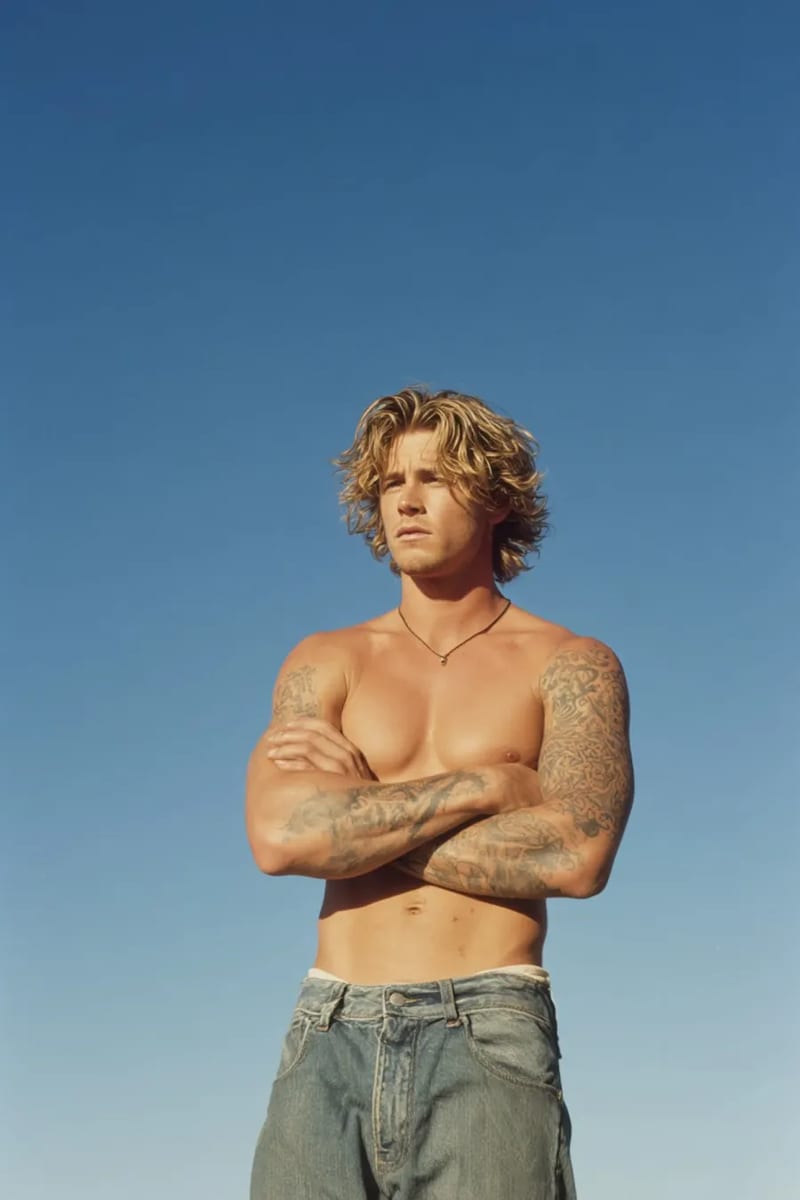
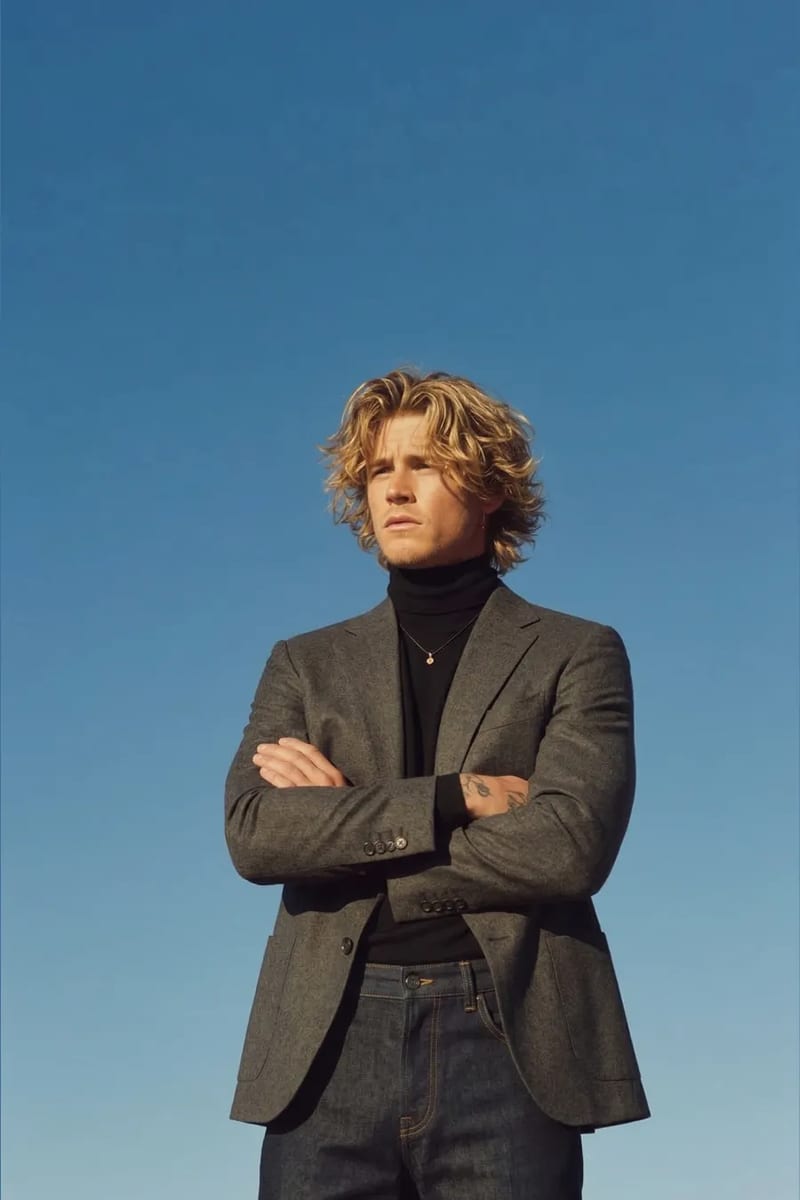
1. VizStudio — Where WeShop’s Limitations Disappear
VizStudio immediately stands out with its multi-category approach. The virtual hat try-on and virtual shoe try-on produce realistic accessory results that WeShop simply can’t match.
The AI clothes changer handles basics as well as WeShop, and better on complex garments — structured blazers, layered outfits, and garments with visible hardware. Fabric texture reproduction is more detailed, and shadow generation adapts to source photo lighting rather than applying a generic overlay.
The category depth is what truly separates VizStudio. The virtual ring try-on produces genuinely usable jewelry listings. The virtual wedding dress try-on manages flowing trains and delicate lace. The AI clothes color changer generates color variants without separate generations. And the AI background remover and AI image editor eliminate the need for separate tools.
Why switch from WeShop: Multi-category try-on (hats, shoes, rings, wedding dresses), better quality on structured garments, complete photo editing workflow in one platform.
One caveat: If you’ve built automations around WeShop’s API, migration will take some setup time. Plan for a transition period rather than a hard switch.
2. Kaze AI — Focused Quality, Narrow Scope
Kaze performs well within its narrow scope of clothing-only swaps. Fabric rendering on printed patterns is excellent — floral and geometric prints come out sharp where other tools blur or distort.
The tradeoff: no accessories, no wedding attire, no photo editing tools, and higher per-generation pricing than VizStudio. Kaze also struggles with non-standard poses — anything beyond front-facing or slight three-quarter angles produces visible shoulder warping. Great for catalog-style shots, less so for lifestyle photos.
Why switch from WeShop: Marginally better fabric pattern reproduction on simple garments. Honestly, this is a lateral move rather than an upgrade unless pattern accuracy is your top priority.
One caveat: The pose limitation is significant if your photo shoots include diverse angles.
3. FitRoom — The Original, Now Showing Its Age
FitRoom was one of the first AI clothes changers to market, and for simple garment swaps it produces acceptable results.
The problem is stagnation. Output quality hasn’t meaningfully improved in over a year. Edge blending is still visibly rough on complex necklines and sleeve openings, there’s no accessory support, and processing speed is notably slower than newer alternatives. If you’re leaving WeShop because of limitations, FitRoom has most of the same ones.
Why switch from WeShop: You might prefer FitRoom’s interface or pricing structure, but functionally it’s a sidegrade at best.
One caveat: Performance hasn’t kept pace with the market. Expect similar limitations to what pushed you away from WeShop.
Migration Tip
Always run a test batch of 10-15 images and compare colors at full resolution against physical products before scaling up. Color shifts are subtle and easy to miss in thumbnail view, but customers will notice when products don’t match listing photos.
4. Fotor — Convenient if You’re Already There
Fotor makes sense as a WeShop AI alternative only if you’re already in the Fotor ecosystem. The outfit swap is a plugin within a larger photo editing suite, benefiting from Fotor’s mature interface and tools.
As a standalone clothes changer, it’s middling — more frequent edge artifacts and occasional lighting mismatches. Fine for social media content viewed at smaller sizes, but not reliable enough for e-commerce listings where customers zoom in.
Why switch from WeShop: Integration with Fotor’s broader editing suite. Not an upgrade in try-on quality specifically.
One caveat: The clothes-changing feature feels like an add-on rather than a core product. Don’t expect the same focus and iteration that dedicated platforms provide.
5. PxBee — The Budget Starting Point
PxBee is the most budget-friendly option — good for experimenting with AI outfit swapping for the first time. The interface is simple and free credits are decent.
However, it’s not a production tool. Output resolution is limited, texture detail looks flat, and there are no supporting features for background removal or color adjustment. If you need more capability than WeShop, PxBee is a step backward in every dimension except price.
Why switch from WeShop: Significantly cheaper for casual or experimental use. Not a replacement for production workflows.
One caveat: You get what you pay for. Output quality and resolution won’t meet professional standards.
Side-by-Side Comparison
| Feature | VizStudio | Kaze | FitRoom | Fotor | PxBee |
|---|---|---|---|---|---|
| Clothes swap quality | Excellent | Good | Adequate | Adequate | Basic |
| Accessories (hats/shoes/rings) | Yes | No | No | No | No |
| Wedding dress try-on | Yes | No | No | No | No |
| Background removal | Built-in | No | No | Separate tool | No |
| Color variant generation | Yes | No | No | No | No |
| Best for | Full production | Pattern-heavy garments | Basic swaps | Fotor users | Experimentation |
Frequently Asked Questions
Is WeShop AI still worth using in 2026?
WeShop still works for basic clothing swaps on simple garments. However, the gap between WeShop and alternatives like VizStudio has widened considerably, especially for accessories, wedding attire, and integrated workflows.
What’s the easiest WeShop alternative to migrate to?
VizStudio offers the smoothest transition — it covers everything WeShop does plus multi-category try-on and integrated photo editing. Run your most challenging photos through it first to confirm quality before committing.
Can these tools handle bulk product photo processing?
Quality consistency varies dramatically across tools. VizStudio maintained the most consistent output across 200+ images, while some competitors degraded at volume. Test with at least 20-30 images before trusting any tool with larger batches.
Do any WeShop alternatives offer jewelry and shoe try-on?
VizStudio is currently the only platform offering dedicated shoe try-on and ring try-on alongside its clothes changer — particularly valuable for stores selling across product categories.
Making the Switch
Run both tools in parallel for two to three weeks before committing. Process your regular work through WeShop while testing the same images on your chosen alternative — VizStudio is where I’d start. The transition cost is temporary; what you get in return is a tool that grows with your product catalog rather than constraining it.
Suite de génération vidéo & image IA
Effets vidéo, essayage virtuel, changeur de tenues, studio photo, suppresseur de fond, et plus — propulsé par les derniers modèles IA.
Vidéo de bisou IA
Transforme des photos de deux personnes en vidéos IA animées romantiques avec des expressions faciales et des mouvements réalistes.
Vidéo de bises IA
Uploade un selfie et l'IA génère une vidéo fun où des personnes attrayantes se ruent des deux côtés pour t'embrasser.
Vidéo de câlin IA
Transforme des photos en vidéos de câlin IA touchantes avec une animation d'étreinte naturelle et des expressions émotionnelles.
Générateur de bikini IA
Génère une vidéo montrant une transition vestimentaire fluide et naturelle vers des tenues de bikini ou maillot de bain tendance.
Générateur de muscles IA
Crée des vidéos de transformation musculaire spectaculaires à partir de tes photos avec une animation corporelle réaliste.
Vidéo de danse IA
Anime n'importe qui en train de danser avec une chorégraphie énergique, des mouvements corporels fluides et un rythme entraînant.
Vidéo IA style Ghibli
Transforme des photos en animations magiques style Studio Ghibli avec des textures aquarelles douces et des mouvements feeriques.
Générateur de GIF IA
Crée des GIF animés en boucle fluide à partir d'images statiques — parfait pour les réseaux sociaux et la messagerie.
Transformation Hanfu IA
Transforme des photos en superbes vidéos de vêtements Hanfu traditionnels chinois avec des robes en soie élégantes et des broderies complexes.
Vidéo changeur de vêtements IA
Crée des vidéos de transformation de tenues fluides — l'IA enchaîne 5 à 6 tenues tendance tout en préservant ton identité.