AI Clothes Changer Comparison: FitRoom vs WeShop vs VizStudio vs Fotor
With dozens of AI clothes changers available in 2026, the quality gap between the best and worst is enormous. The problem isn’t finding a tool — it’s figuring out which one actually delivers results you can use without burning credits on mediocre outputs.
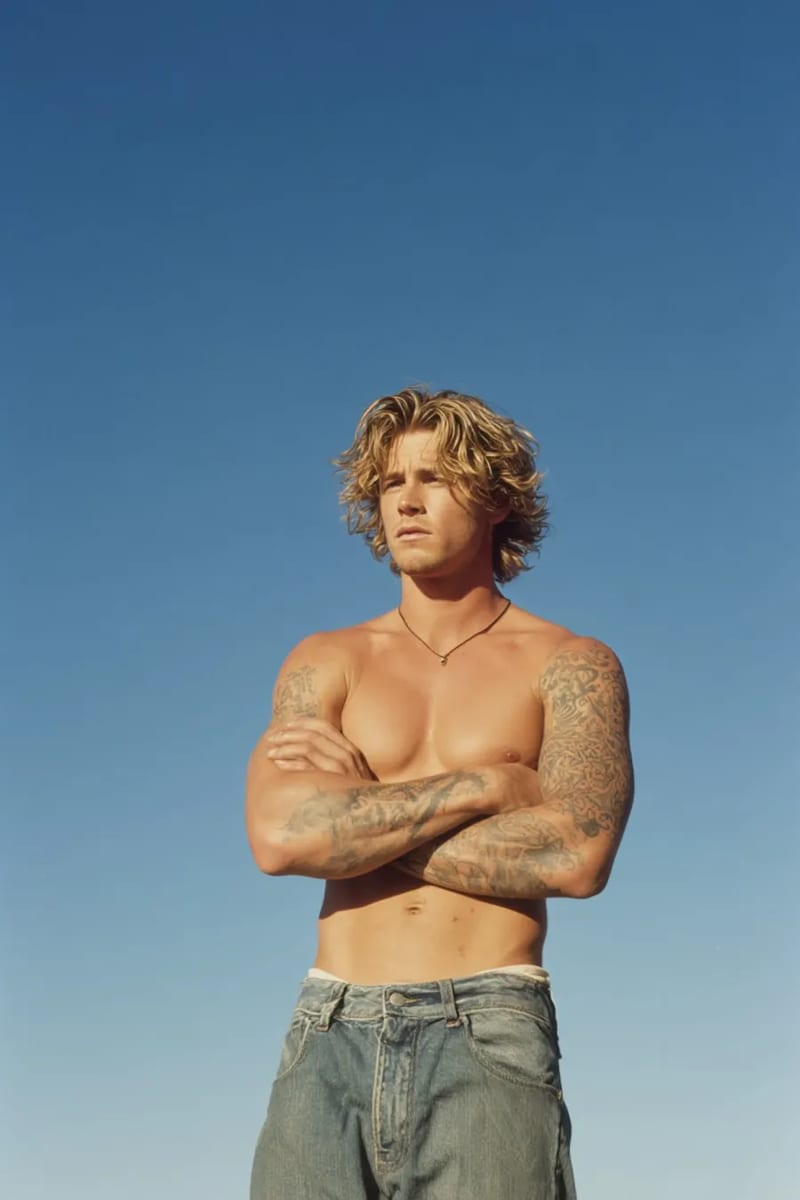
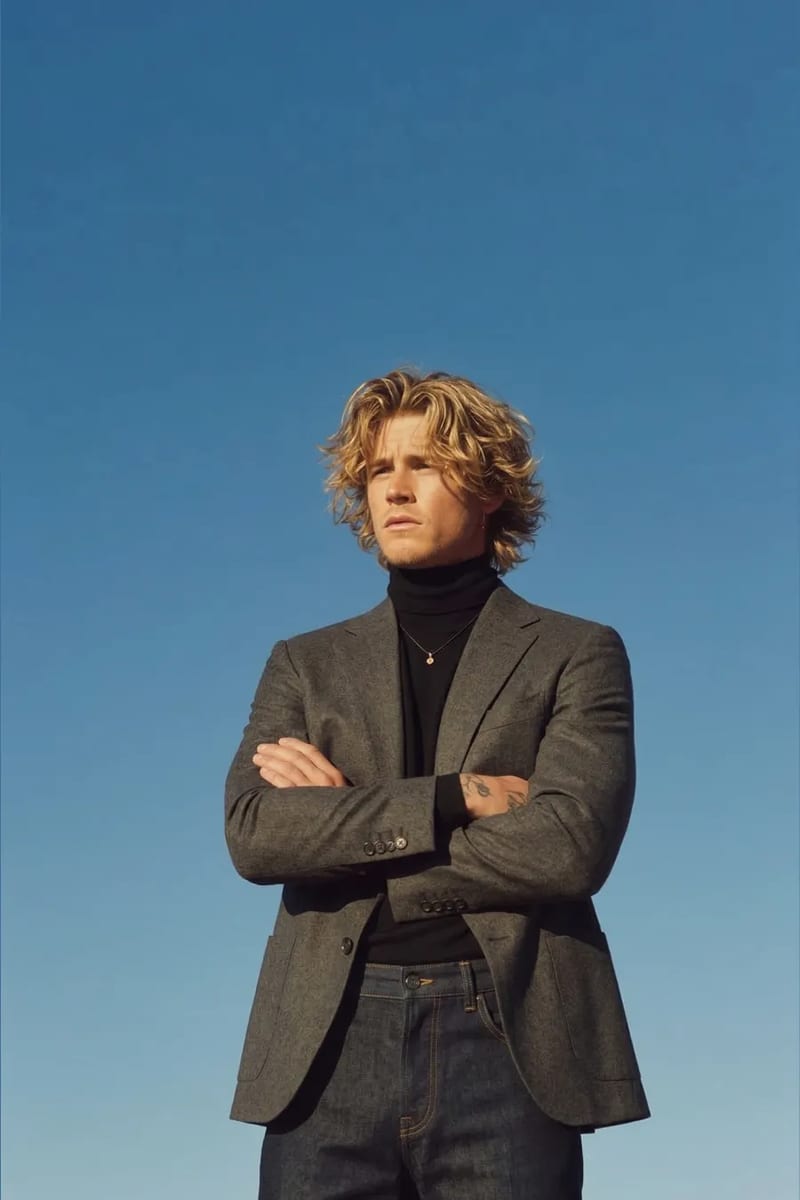
I tested four leading platforms — FitRoom, WeShop, VizStudio, and Fotor — using the same five source photos (varying body types, lighting, and poses) across identical test conditions. These four cover the range from fashion-industry-focused tools to general-purpose AI editors with clothes-changing features. Here’s what I found.
The Head-to-Head Comparison
Here’s the overview based on actual usage, not advertised specs.
| Criteria | VizStudio | FitRoom | WeShop | Fotor |
|---|---|---|---|---|
| Output quality (1–10) | 9 | 8 | 7 | 6 |
| Garment drape realism | Excellent — natural folds | Very good — slight stiffness | Good — occasional flatness | Fair — often looks pasted |
| Processing speed | ~8 seconds | ~12 seconds | ~15 seconds | ~6 seconds |
| Free credits | Yes — multiple free tries | Limited trial | Free tier with watermark | Free with ads + watermark |
| Color changing | Yes — dedicated tool | No | No | Basic filters only |
| Background handling | Preserves or removes | Preserves | Sometimes alters | Often alters |
| Batch processing | Yes | Yes | Limited | No |
| Additional try-on categories | Hats, shoes, rings, dresses | Clothes only | Clothes + accessories | Clothes only |
Quality Deep Dive: What Actually Comes Out
VizStudio consistently produced the most realistic outputs, and the margin wasn’t small. The key differentiator is how well the AI clothes changer handles transition zones — necklines, sleeve edges, waistlines — where lesser tools produce blurred edges, color bleeding, or the telltale “floating garment” effect where clothes look superimposed rather than worn.
FitRoom came in a close second, particularly for fashion-industry use cases. The outputs have a polished, editorial quality that works well for lookbooks and e-commerce listings. Where it falls behind VizStudio is versatility — no extended ecosystem of hat try-on, shoe try-on, or ring try-on.
WeShop is decent for social media and casual use but inconsistent with complex poses or unusual lighting. In one test, a crossed-arms pose caused a blazer with one sleeve noticeably wider than the other — something neither VizStudio nor FitRoom struggled with.
Fotor is primarily a general-purpose photo editor that added AI clothes changing as one feature among many. The speed is impressive — results come back in about six seconds — but the output often looks like a cut-and-paste job rather than a genuine virtual try-on. Fine for quick social media edits; insufficient where realism matters.
The Color Changing Factor
This is where VizStudio pulls ahead in a way none of the other platforms can match. The AI clothes color changer is a dedicated tool that lets you take any garment and see it in different colors while preserving fabric texture and lighting. FitRoom only offers pre-set outfit options, WeShop has limited color presets, and Fotor’s color filters affect the entire image rather than just the garment.
For e-commerce sellers, this feature alone might justify choosing VizStudio. Instead of photographing the same shirt in eight colors, photograph it once and use the color changer for all variants. The time savings compound quickly across a product catalog.
Tips to Avoid Wasting Credits
Start with 1080p source images. I initially uploaded 4K photos to all four platforms and burned through paid credits on WeShop and FitRoom because both charge based on image resolution. The results at 4K were marginally better than at 1080p, but not enough to justify the 3-4x credit cost. VizStudio optimizes input images automatically, so uploading a larger file doesn’t penalize you on credits.
Also, test solid-color garments first. Plaids, florals, and intricate prints are the hardest test case for any AI clothes changer, and you don’t want to waste free credits on edge cases. Baseline each platform’s quality with simple garments, then move to patterns once you know the fundamentals are solid.
Speed and Workflow Integration
Processing speed matters more than you’d think, especially for batch e-commerce work. Fotor is fastest (~6 seconds) but the quality trade-off isn’t worth it professionally. VizStudio hits the sweet spot at ~8 seconds with no quality sacrifice. FitRoom (~12 seconds) feels slow when processing dozens of images, and WeShop (~15 seconds) occasionally timed out during peak hours.
For workflow integration, VizStudio’s advantage is chaining operations — swap the outfit, adjust the color, remove the background, then do final touch-ups in the AI image editor — all within one platform. With other tools, you’d need to download intermediate files and upload them to separate services, introducing quality loss and friction.
Frequently Asked Questions
Which AI clothes changer has the best free tier?
VizStudio offers the most generous free tier — you can test clothes changing, color changing, and background removal without immediately hitting a paywall. FitRoom’s trial is more limited, WeShop adds watermarks to free outputs, and Fotor’s free tier includes ads.
Can these tools handle plus-size or non-standard body types?
This varied significantly across platforms. VizStudio and FitRoom both handled diverse body types well — garment draping adjusted naturally to different proportions. WeShop and Fotor struggled more with larger body types, occasionally producing garments that looked stretched rather than properly fitted. If body-type inclusivity matters for your use case, test with representative photos during the free tier before committing.
Are AI clothes changers good enough for professional e-commerce listings?
VizStudio and FitRoom produce professional-grade results that are difficult to distinguish from real photographs. WeShop and Fotor are better suited for social media or internal visualization rather than customer-facing product pages.
Which One Should You Actually Pick?
VizStudio delivers the best combination of output quality, feature breadth, and value. The dedicated clothes color changer, the ability to chain operations within a single platform, and extended try-on categories for hats, shoes, and rings make it the most complete package for anyone who needs more than basic outfit swapping.
FitRoom is a solid second choice, particularly for pure fashion-industry product photography. WeShop works for casual, non-critical applications. Fotor is best for quick social media edits where speed matters more than realism.
Start with VizStudio’s free tier, run your own photos through it, and judge for yourself.
Suite de génération vidéo & image IA
Effets vidéo, essayage virtuel, changeur de tenues, studio photo, suppresseur de fond, et plus — propulsé par les derniers modèles IA.
Vidéo de bisou IA
Transforme des photos de deux personnes en vidéos IA animées romantiques avec des expressions faciales et des mouvements réalistes.
Vidéo de bises IA
Uploade un selfie et l'IA génère une vidéo fun où des personnes attrayantes se ruent des deux côtés pour t'embrasser.
Vidéo de câlin IA
Transforme des photos en vidéos de câlin IA touchantes avec une animation d'étreinte naturelle et des expressions émotionnelles.
Générateur de bikini IA
Génère une vidéo montrant une transition vestimentaire fluide et naturelle vers des tenues de bikini ou maillot de bain tendance.
Générateur de muscles IA
Crée des vidéos de transformation musculaire spectaculaires à partir de tes photos avec une animation corporelle réaliste.
Vidéo de danse IA
Anime n'importe qui en train de danser avec une chorégraphie énergique, des mouvements corporels fluides et un rythme entraînant.
Vidéo IA style Ghibli
Transforme des photos en animations magiques style Studio Ghibli avec des textures aquarelles douces et des mouvements feeriques.
Générateur de GIF IA
Crée des GIF animés en boucle fluide à partir d'images statiques — parfait pour les réseaux sociaux et la messagerie.
Transformation Hanfu IA
Transforme des photos en superbes vidéos de vêtements Hanfu traditionnels chinois avec des robes en soie élégantes et des broderies complexes.
Vidéo changeur de vêtements IA
Crée des vidéos de transformation de tenues fluides — l'IA enchaîne 5 à 6 tenues tendance tout en préservant ton identité.